How it works
A planner written around your goals, not a template.
It takes about fifteen minutes to answer the questions. You review the plan, design the cover, approve a full proof, and then we print and bind it. The companion app keeps the same plan on your phone, so you can track it day to day.
How it works
From a few honest answers to a book you will actually use.
- Step 1
Name what matters
Up to three goals, in your own words. We ask why it matters, where you are now, and what done looks like.
- Step 2
Get a realistic plan
Milestones, monthly focus, and dated weekly actions sized to the time you actually have — nothing invented to fill pages.
- Step 3
Design the book
Choose a cover, foil, name, size, binding, and paper. Watch the cover and page count update as you go.
- Step 4
Approve your proof
Page through the exact interior. Nothing prints until you confirm dates, spelling, and every page.
- Step 5
Live it, on paper and phone
The printed planner arrives. The companion app tracks progress and adjusts when life does.
What we promise
- Sized to your real week
- You tell us how many hours you have and which days are off-limits. The plan never schedules more than that.
- Nothing invented
- Every page comes from your goals and answers. If a goal is vague, we ask you to sharpen it rather than guess.
- You approve every page
- You see the exact interior as a proof. Nothing goes to print until you confirm it.
Paper and phone
One plan, used two ways.
The planner is where you think and plan ahead. The app is where you keep track day to day. Both start from the same approved plan, so you can lean on whichever one fits the moment.
The printed planner
Your plan, as you approved it.
- Every milestone, weekly action, and date from your approved proof.
- Stays the same once it prints. It is your fixed record of the plan.
- Best for planning the week ahead, writing reflections, and seeing the whole arc at a glance.
The companion app
The same plan, updated as you go.
- Opens to the same dates and tasks as your printed pages.
- Records what you finish and shows your progress on each goal.
- Suggests a revised schedule if you fall behind. You preview it and decide.
Setting up the app
- Step 1Scan the code inside the cover
The introduction page has a QR code that opens the app. The code contains no personal information. You sign in to see your plan.
- Step 2Add it to your home screen
On iPhone, tap Share and then Add to Home Screen. On Android, choose Install when prompted. Once added, it opens like a regular app, with no app store needed.
- Step 3Choose your reminders
In Profile, turn on notifications for this device and pick when you want a nudge. You can turn them off anytime.
A week with both
- Sunday or Monday
- Open the planner to the week ahead. Read the actions for each goal and note any days that look tight.
- Each day
- Check the Today tab for what is planned and roughly how long it takes. Mark tasks done as you finish them. Tick them on paper too if you like.
- End of the week
- Write your reflection on the printed page. Then look at Progress in the app to see how each goal is moving.
- When life gets in the way
- The app offers a revised schedule for anything you missed. Your printed pages stay as they are, and the Plan tab marks where the app version now differs from print.
What's in the app
- Today
- What is planned for today, with goal tasks shown separately from anything personal.
- Plan
- Week and month views. Switch between the printed schedule and the current one.
- Goals
- Each goal with its milestones and what is still ahead.
- Progress
- Completed work over time, by goal.
- Profile
- Reminders, notifications, and a link to your account.
The app works without a connection. Anything you check off offline is saved on your phone and syncs when you're back online.
Personalization
Made to be opened every morning.
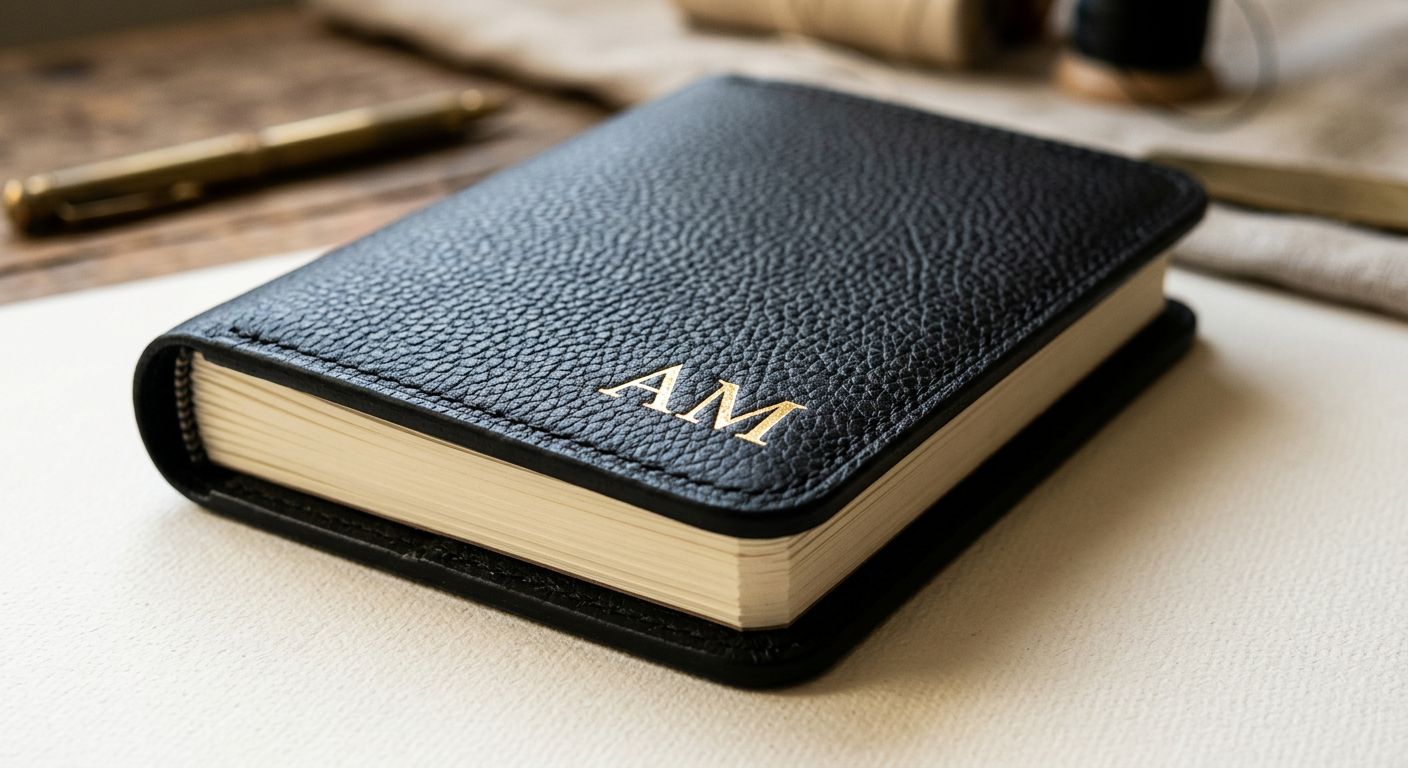
- Foil personalization
- Your name or initials in gold or silver foil, with an optional inscription inside the front cover.
- Lay-flat binding
- Sewn lay-flat or wire-o, chosen to suit how long your planner runs.
- Considered paper
- Smooth 100 gsm or heavier 120 gsm stock that resists show-through.
- Goal markers
- Each goal gets a printed marker, so you can see at a glance what a day is moving forward.
Cover finishes in this demo are visual simulations of leather textures, not genuine leather. Materials are confirmed per product before production.
Questions
Frequently asked
Do I need an account to start?
No. You can describe your goals and see your plan as a guest. You’ll create an account before approving a proof or paying, so your plan is saved across devices.
How is my plan created?
Your answers become milestones and dated weekly actions sized to the time you said you have. When AI is used, its output is checked against a strict structure and you can edit or regenerate anything before approving.
What exactly gets printed?
Exactly the proof you approve: every date, task, and page. After approval the printed content is locked to that version.
What if I fall behind?
The printed planner stays as approved. The companion app can suggest a revised schedule for what you missed — you preview it and decide.
Is the cover real leather?
Covers shown here are visual simulations of leather textures. Materials are confirmed for each product before production; we don’t describe a cover as genuine leather unless it is.
Is this medical or financial advice?
No. Plans for health, money, or confidence goals are general habit structures. For anything specific to your situation, please talk with a qualified professional.
Can I cancel the companion app?
Anytime from your account. Access continues to the end of the paid period, then the app becomes read-only. Your proof and order history remain available either way.